Zapier + Gemini workflow to manage Google My Business Reviews
A simple workflow with big gains.

Lots of folks these days want to talk about autonomous agentic workflows that traverse byzantine flowcharts in n8n as part of the AI hype cycle. The more dizzying the logic, the better—so it seems.
That's fine and good, but there are real gains to be realized by applying AI to really small and rote pieces of work.
For example, I learned from Zapier’s email course, “Learn Zapier in 14 Days,” that you can set up an automated workflow in Zapier that uses AI to generate draft responses to customer reviews on Google My Business.
I currently manage three Google My Business profiles for three different service areas. Depending on volume of work and other factors, we can get a lot of Google reviews in a week. I want to respond to them as quickly as possible on a regular basis to underscore the fact that we're highly responsive and attentive to our customers.
There are three challenges with this:
- Reviews come sporadically—I could have none on one day and beaucoup on another. Checking all of the profiles on a regular basis could end up being a huge waste of time.
- Reviews come from three different profiles, so responding to manually would require requires accessing three different GMB profiles, drilling down into reviews, and typing a response for each one. That’s tedious.
- Responses to reviews are not a place for literary flair. They just need to be polite and short, and will generally say something to the effect of "Thank you for choosing us!" Even if I was typing out responses manually, I’d be following a template that I would modify slightly for each response.
The parts of the workflow
This Zapier workflow helps me achieve my goals by consolidating reviews into one place where I can deal with them in bulk. Plus, the draft responses give me a great 80% starting point instead of having to respond to each review from scratch.
This setup is slightly more involved than configuring a multi-step Zap. There are three key components:
- A Zapier Table to hold all the data. Each review gets its own row.
- One Zap per location to get the reviews from each Google My Business Profile
- A second Zap to create a Send Reply button that publishes the review response to each profile.
The Zapier Table and Send Reply Button
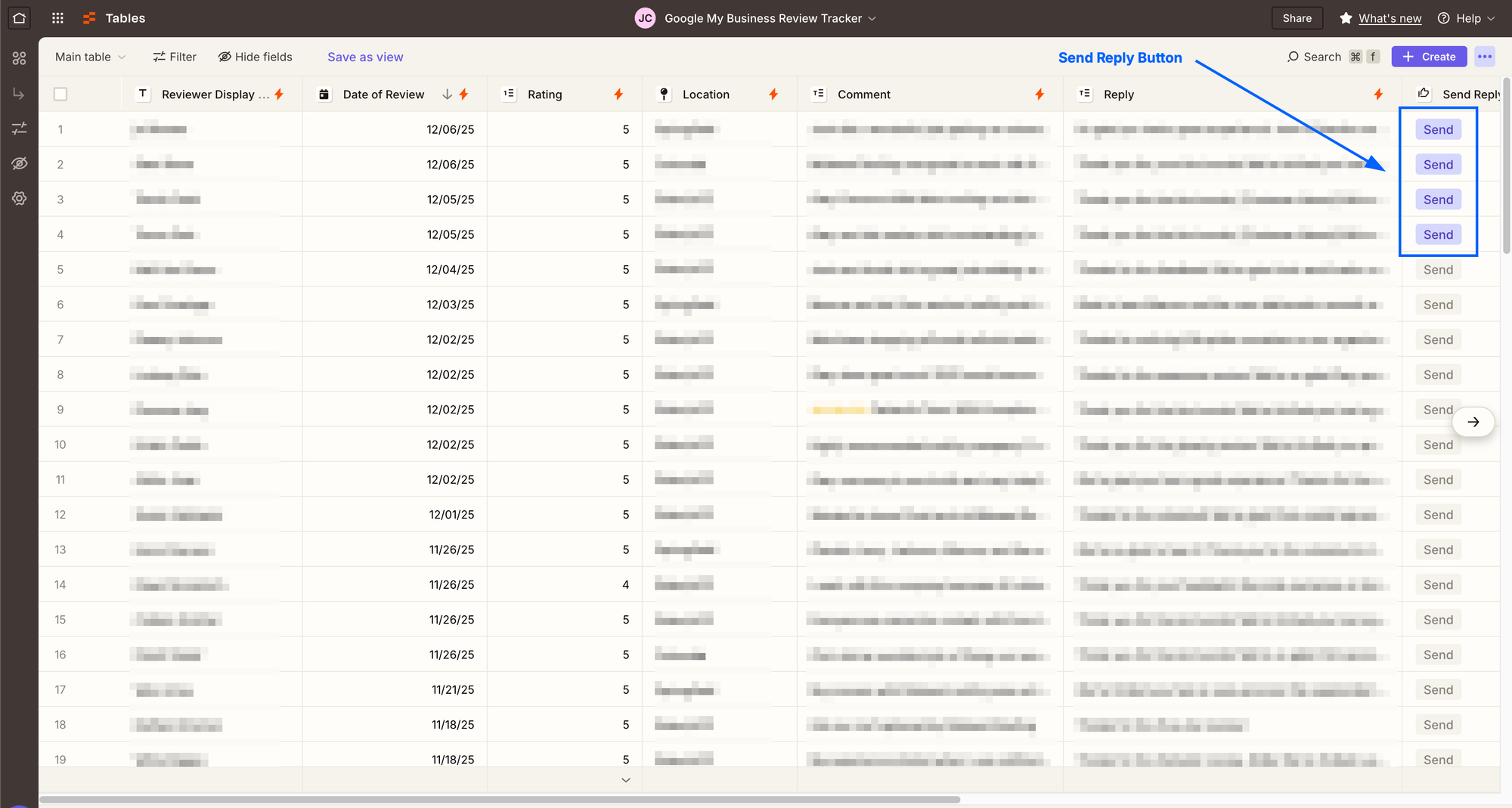
This entire set up revolves around a Zapier table that collects all of the responses into a spreadsheet. The power of a Zapier table is that it can be connected to other Zaps, so you can run other automations straight from the table.
For my table, I have columns for:
- Review date
- Location
- Reviewer name
- Rating (1–5)
- Review content
- Review response (generated by Gemini)
- A Send button
When someone leaves a review on any of our Google My Business profiles, all of the review data is collected into the table.
The main Zap (getting reviews from each profile)

The main Zap in this workflow fires when a customer leaves a Google review. Since we have three locations, I had to create a separate zap for each location because each Google My Business profile has its own ID.
There are five steps to the main Zap:
- Get the Google My Business Review
- Send the review content to Gemini as a prompt
- Push all the data to the Table
- Determine whether the review is <4 stars.
- If the review is 3 stars or less, send an email directly to me. This alerts me to low reviews so I can respond immediately.
Once I created the Zap for the first location, it was just a matter of duplicating it, and changing the profile connection for the copies.
The Gemini prompt for generating draft responses
As mentioned previously, writing review responses is pretty repetitive, which makes it the perfect type of writing to offload to AI.
A good prompt is the key in getting a good draft, so there are two parts to the prompt:
- The review content is the prompt that's fed to the AI
- A system prompt with more detailed instructions to guide the AI's output. I gave it specific instructions on what sort of persona should act like and character count to keep the responses on-brand.
The Send button Zap
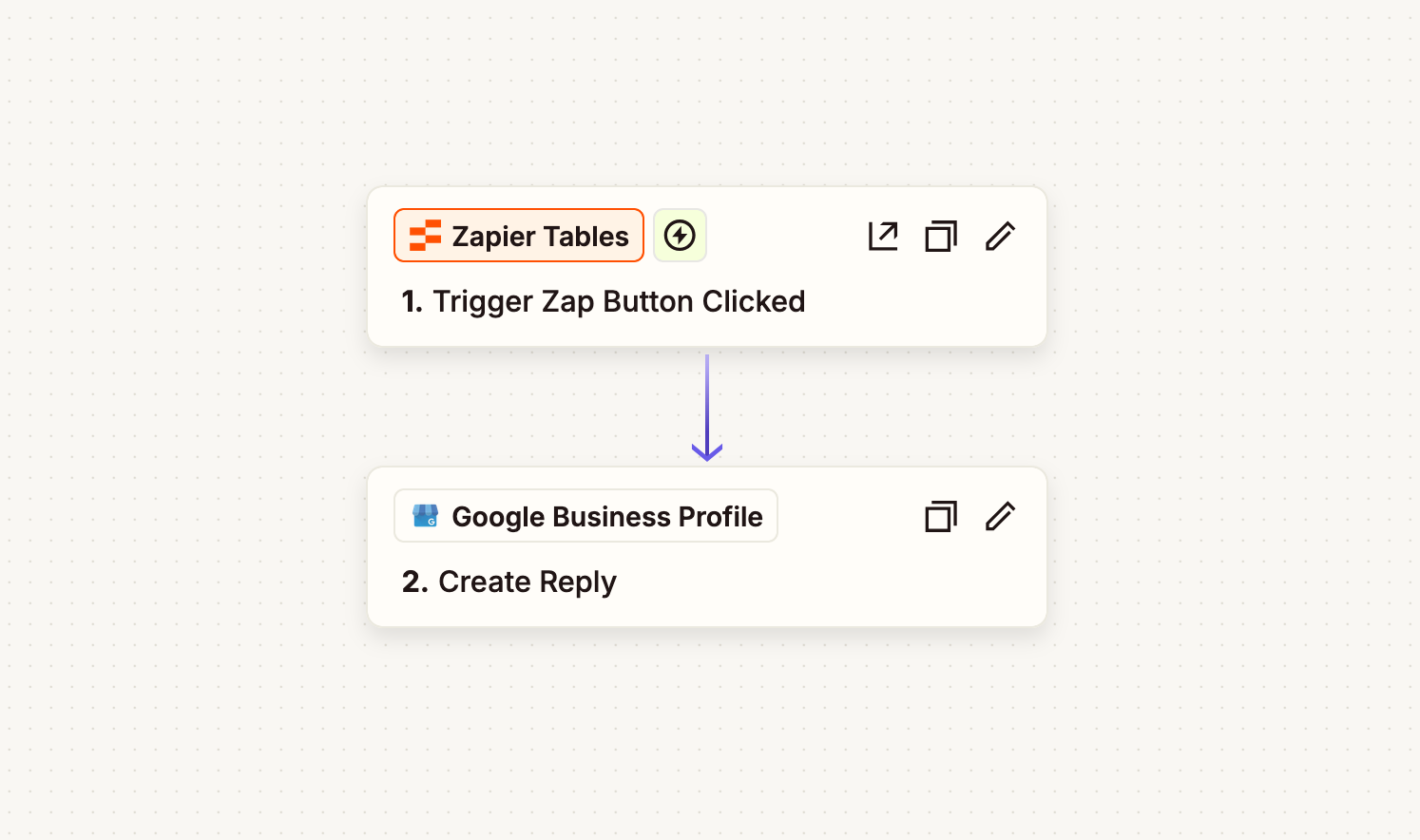
The final piece of this setup is a Send button Zap that publishes the response to the correct Google My Business profile. Once I've reviewed and saved the response, I simply press "Send" and the response is sent. Afterwards, I like to right-click and disable the button so I have a visual on which reviews I've already replied to.
Keeping a human in the loop
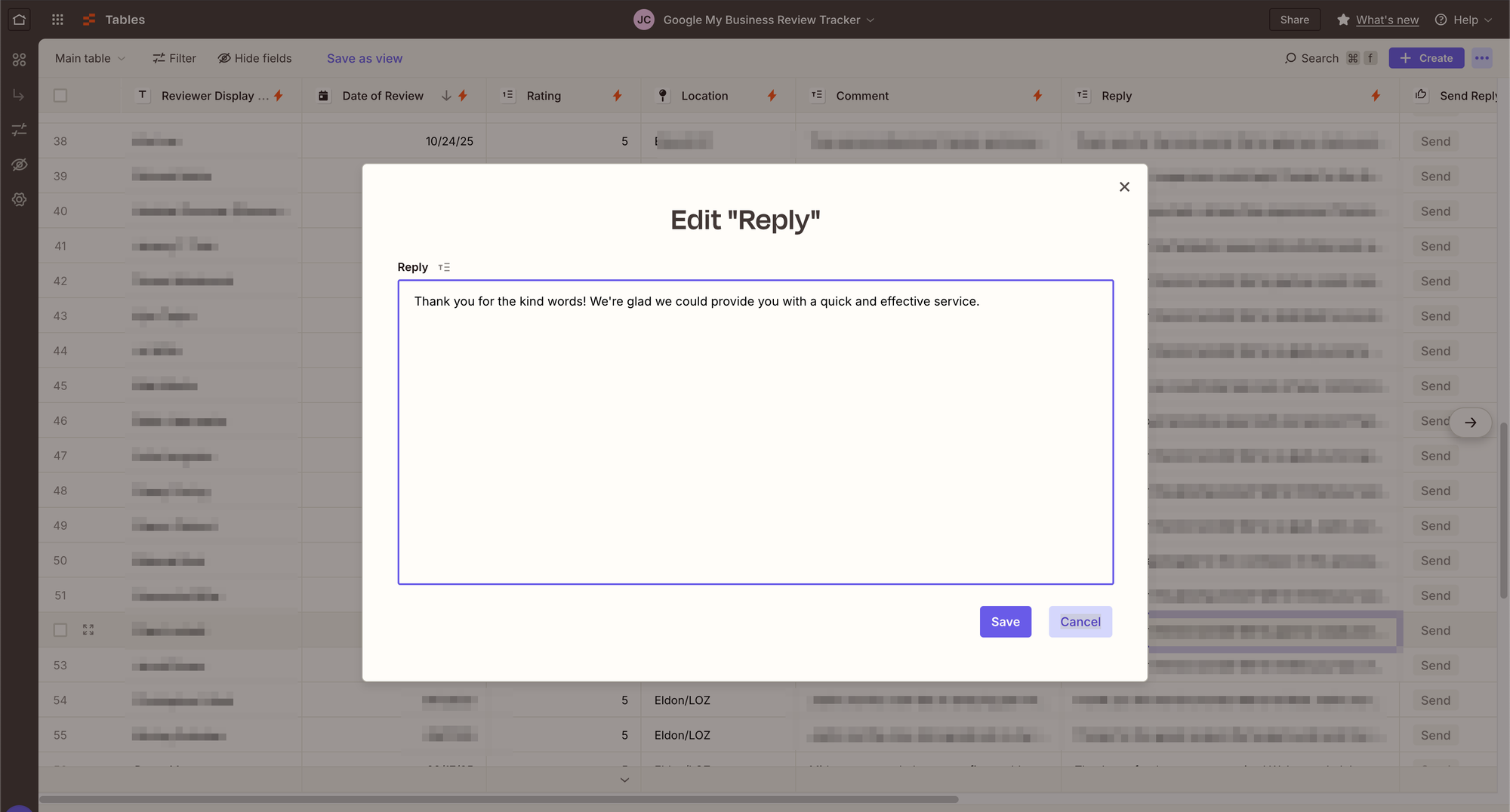
If you’re going to use AI to automate something, I think it’s critical to have human eyes on the work at critical junctures in the process. This is one of my beefs with some of the agentic workflows I see touted on LinkedIn—where exactly is a human involved to observe the process?
This Zapier workflow collects the reviews and provides a draft response for me to review. I check every single draft response in the table and make edits before pressing "Send." The table provides a simple interface for editing the responses.
I didn’t feel comfortable with the idea of letting the review responses be published automatically. What if the AI writes something wonky, as AI is prone to do? Surely that wouldn't look good for the brand.
A quick glance at the draft responses from Gemini validates my position. Gemini likes to use ampersands (&), And sometimes it seems confused about whether to reference the people mentioned in the review or the reviewers name. It makes mistakes in grammar and punctuation. Sometimes the response is painfully clunky.
But the beauty of the Table is that I can quickly revise each response in seconds and press send. Something that would have been drudgery now takes less than five minutes.
Other benefits of this setup
Pushing all of our Google My Business responses to a table has had other benefits:
- I gained an appreciation of what Tables can do in Zapier. If you're comfortable building out things in spreadsheets, the idea of a spreadsheet as an interface is a huge productivity unlock.
- I have a ongoing record of all of our review responses that I can glance at whenever I want for marketing and content ideas.
- I can download all of the responses as a CSV if I want to do any processing on the content in Google Sheets or elsewhere.
- I was able to use an export of the review responses to bulk create social media posts in Canva.
I have no idea how many hours this workflow has saved me, but I know that it's delivered outsized gains beyond just time efficiencies.
The value of automation Isn’t just about speeding up a rote process—it can also be about centralizing information in a way that makes it more actionable and usable. An elaborate workflow is not required.