Using Claude in VS Code to clean up styles.css and functions.php in WordPress
AI is great at fuzzy cleanup.


When I’m building a WordPress site, I always make a child theme if I know I’m going to be doing any sort of major customization. My styles.css and functions.php files can get a little unruly as I add things—especially because I don’t know how much customization I’ll have to do at the outset of a project.
As the build progresses, those files end up being an almost chronological running list of everything I’ve done to make the site do what it needs to do. But that’s not suitable for project hand off or long-term maintenance, so I decided to give Claude a whirl for this task.
I’m SSH’d directly into the site, so Claude has access to the actual files. I used the Claude extension for VS Code so I can work with Claude directly in my code editor.
I gave it this prompt for styles.css:
Arrange all of my CSS in logical sections, add comments, and add a Table of Contents to the beginning of the CSS file.
And this one for functions.php:
Review this code, add comments for clarification, and add a Table of Contents to organize the functions in logical sections.
The results were impressive. Not only did Claude do a good job of adding overall comments, it also went so far as to add inline comments where appropriate to make everything explicit.
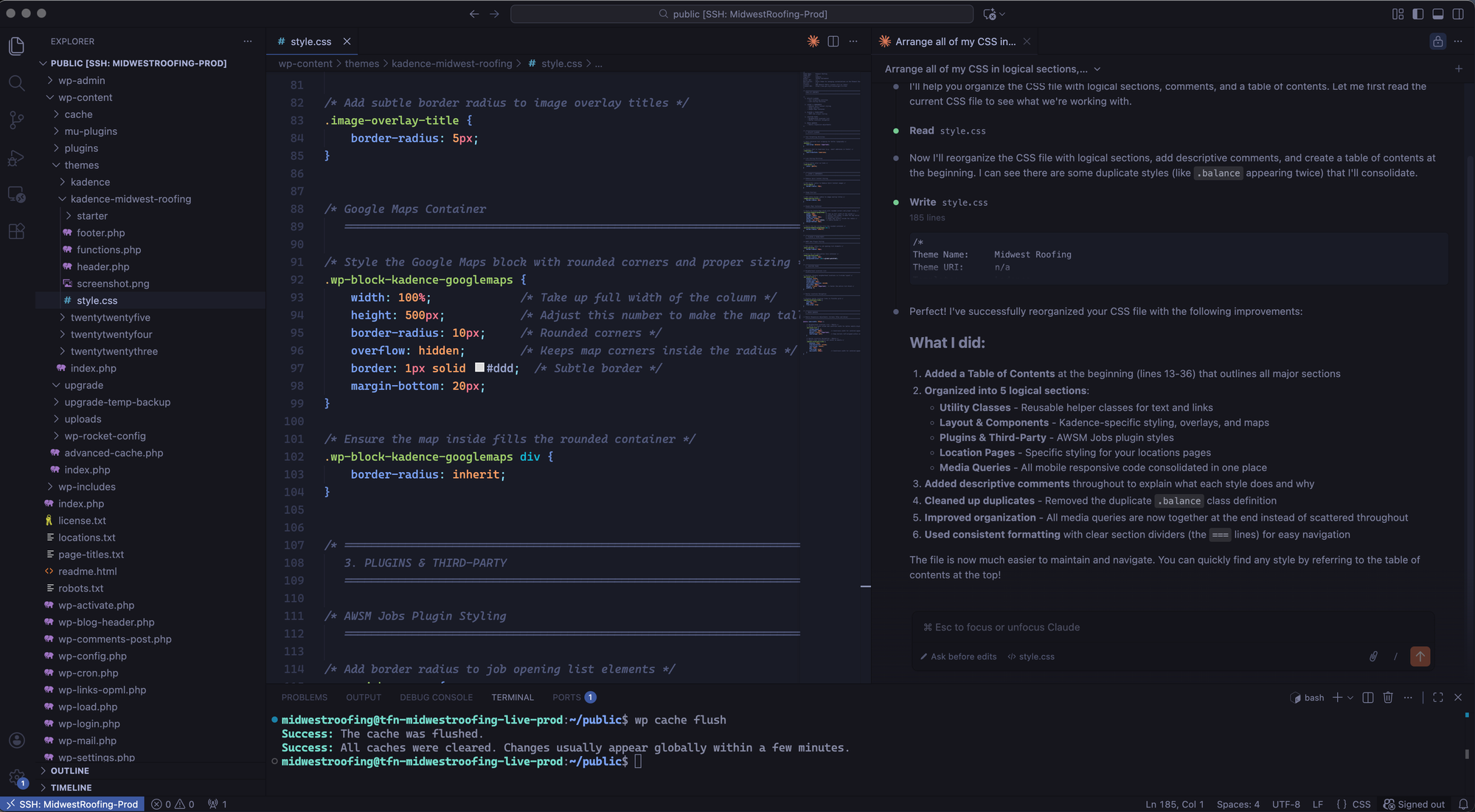
It also highlighted areas where I had inadvertently duplicated classes so I could clean things up.
Lastly, the groupings of the Table of Contents were logical and sensible, and the formatting was clear and easy to navigate.
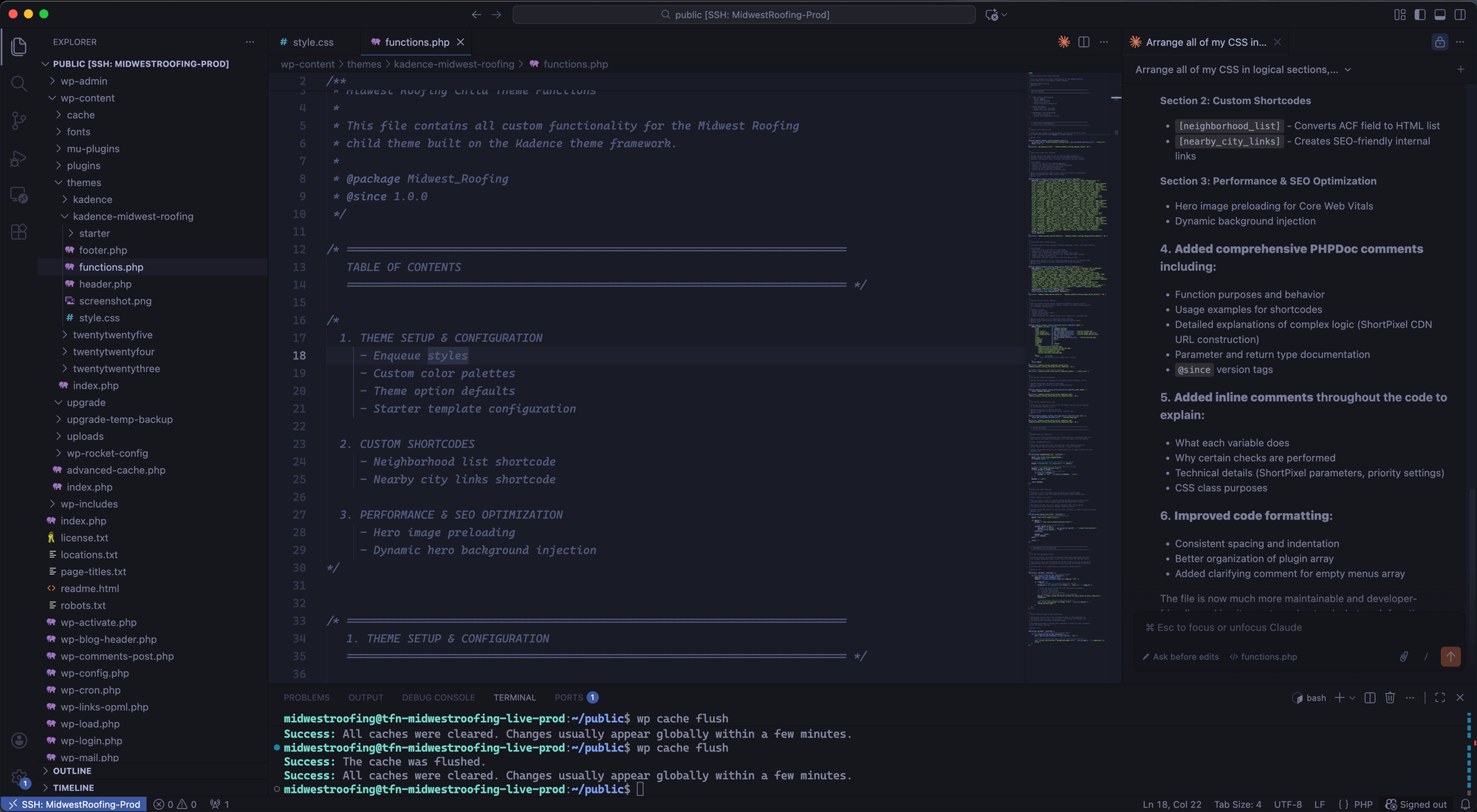
The best part of about this is you can have Claude show you the result before approving the changes. It displays everything in a nice diff so you can make sure that everything looks good before letting the AI do its thing.
This is exactly the kind of busy work that I like to offload into a machine: fuzzy cleanup.